PaintCue
Mix the color you actually see.
Take a photo of the color you want and one of your mix. PaintCue tells you what’s off and which paint to add next, from the paints on your table.
iPhone and Android · Works offline
Available in 2 languages
- English
- 简体中文
01 Match a color
See which paint to add next.
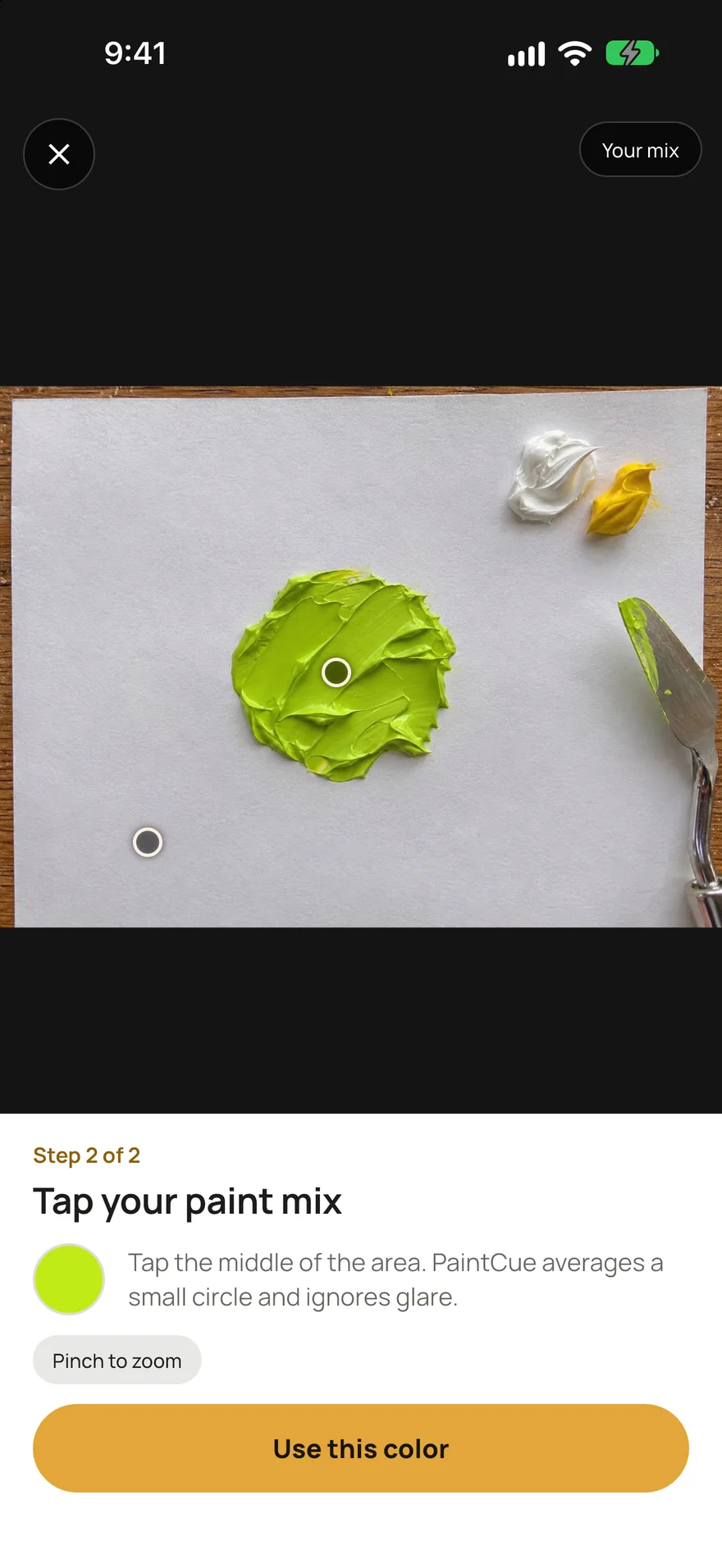
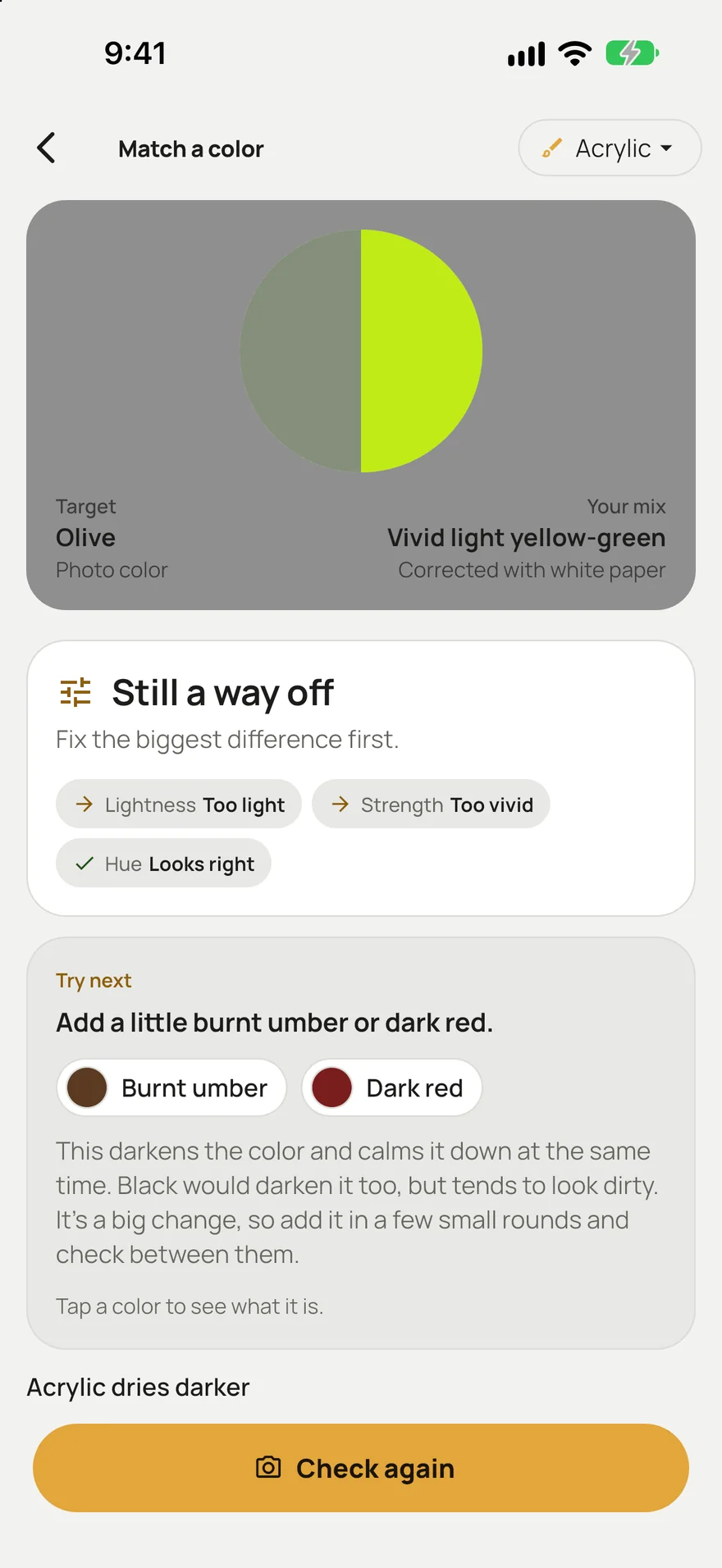
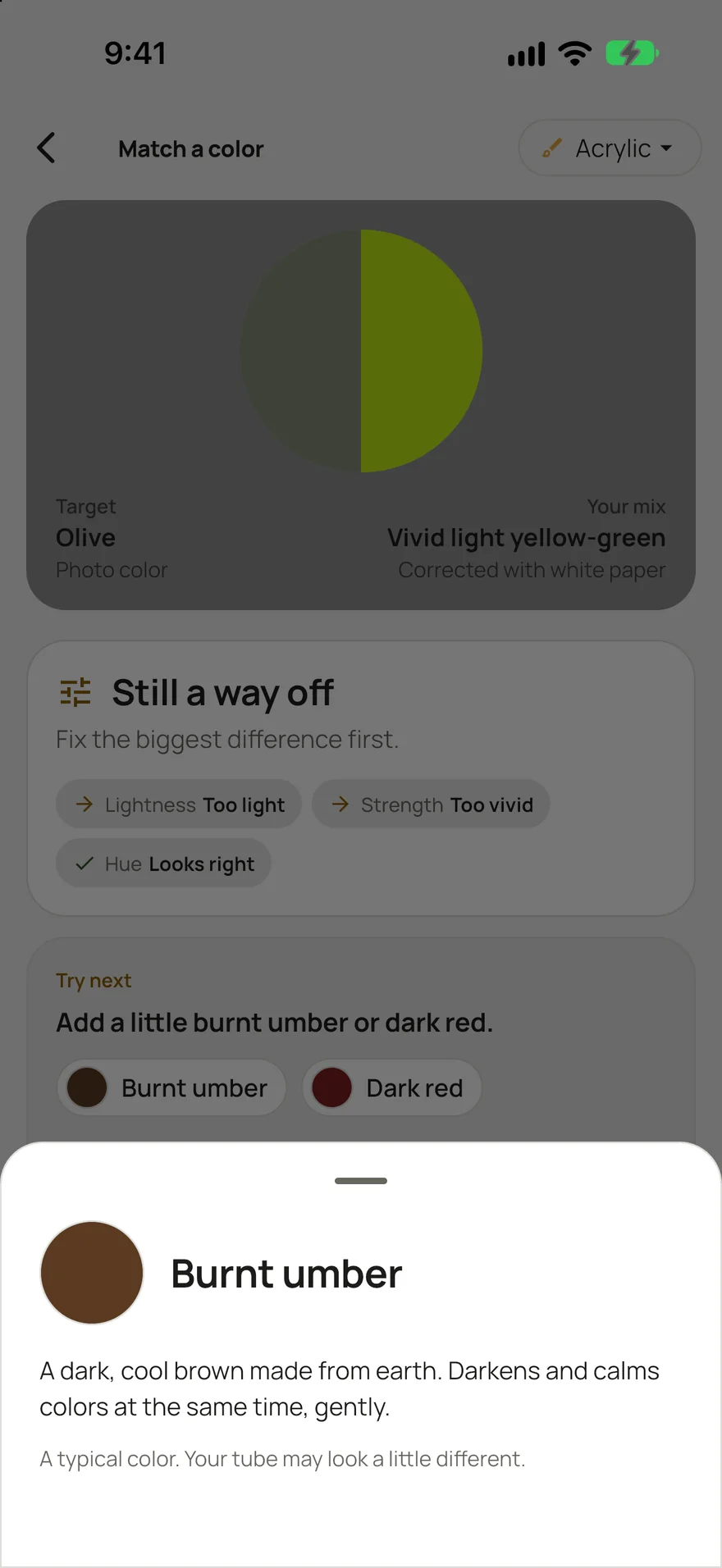
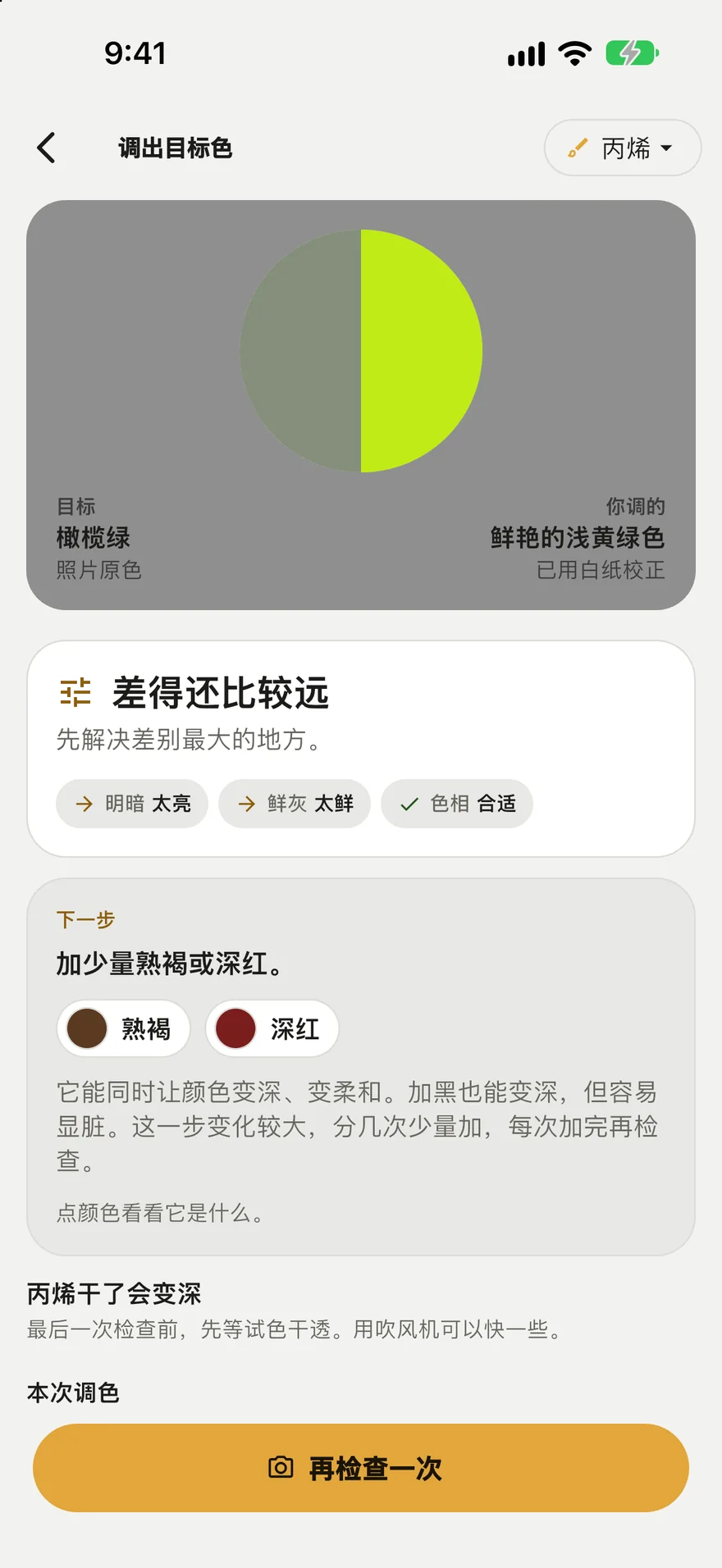
Photograph the color you’re after, from life, a print or a reference photo, then your mix. PaintCue puts the two side by side and checks lightness, strength and hue one at a time, so you know which one is off.
- Tap white paper in the photo and it corrects for warm or cool light
- One clear next step, with the reason, and a follow-up if needed
- Check again after each change and see if you’re getting closer
02 Built-in lessons
Paint a whole picture, one stage at a time.
Two free lessons come with the app. Each stage shows the canvas as it should look, which paints to use, and why that stage comes when it does. Step through them here.
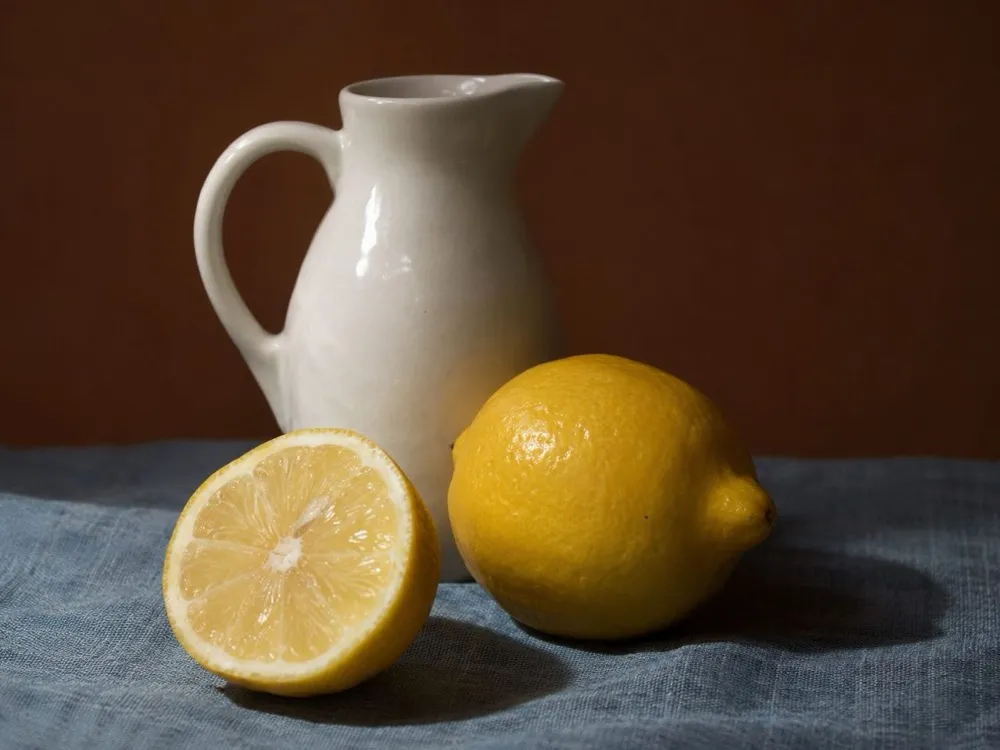
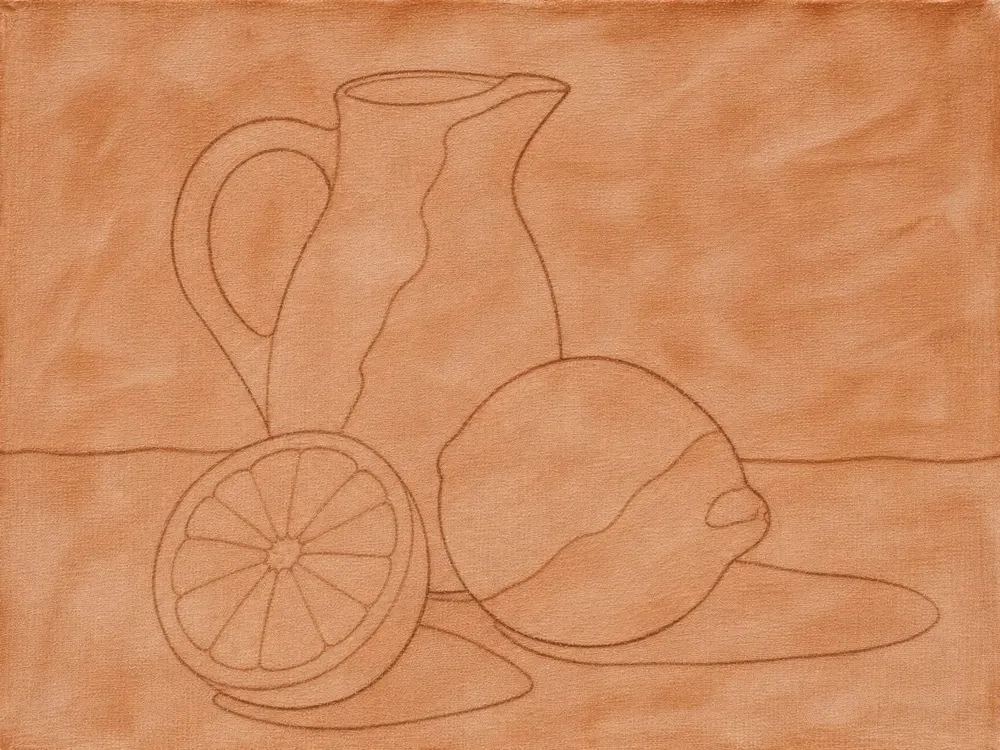
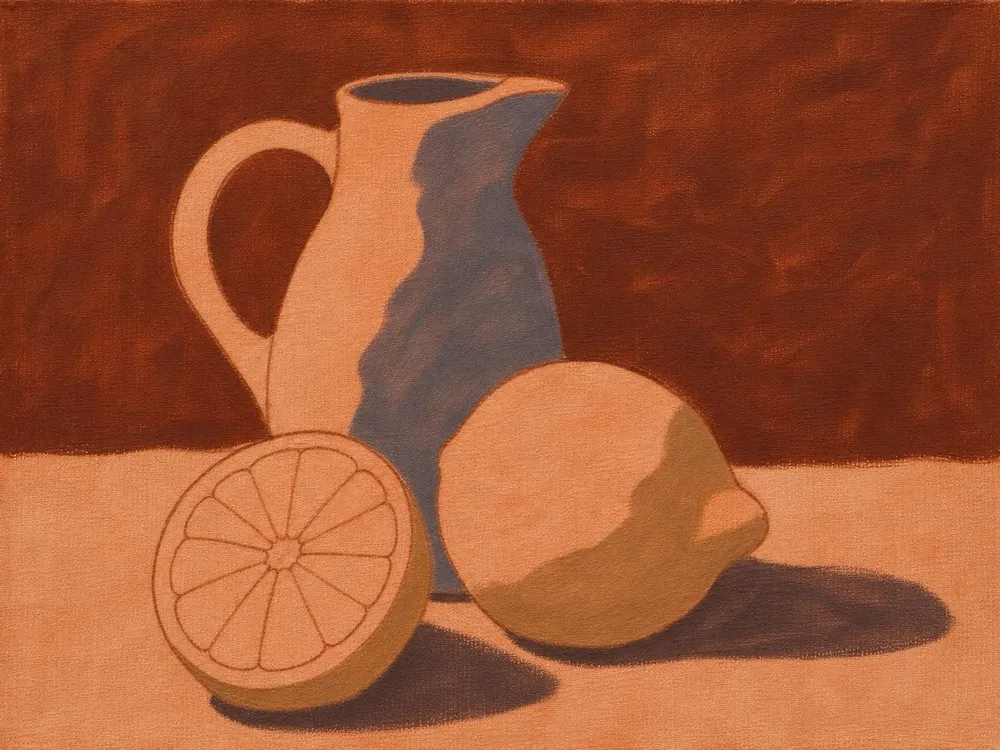
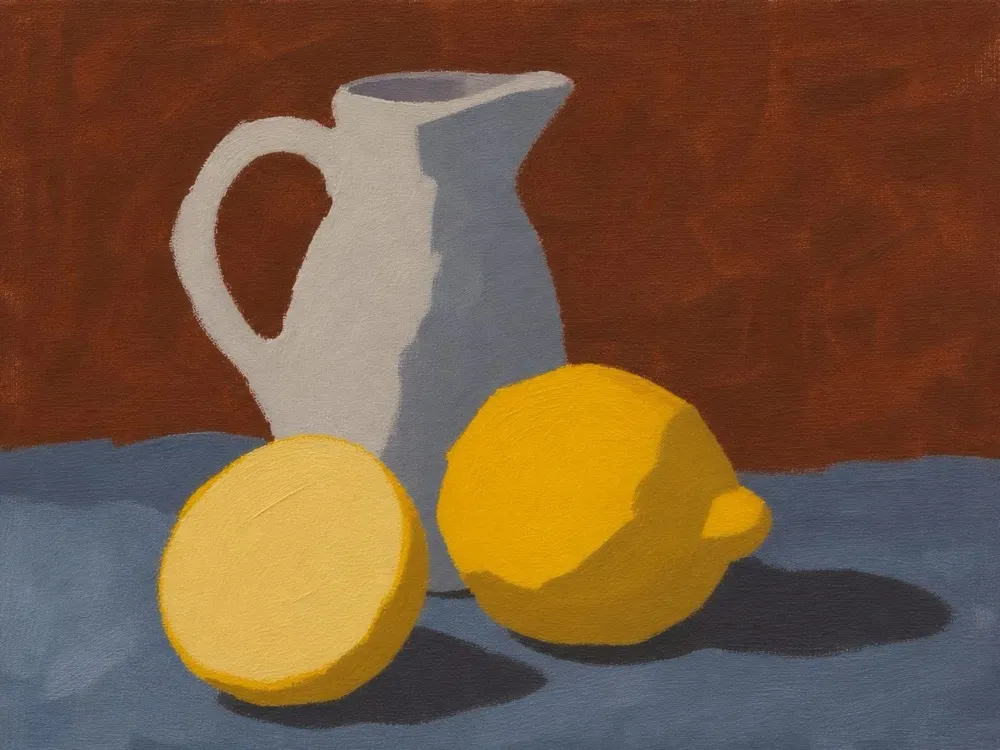
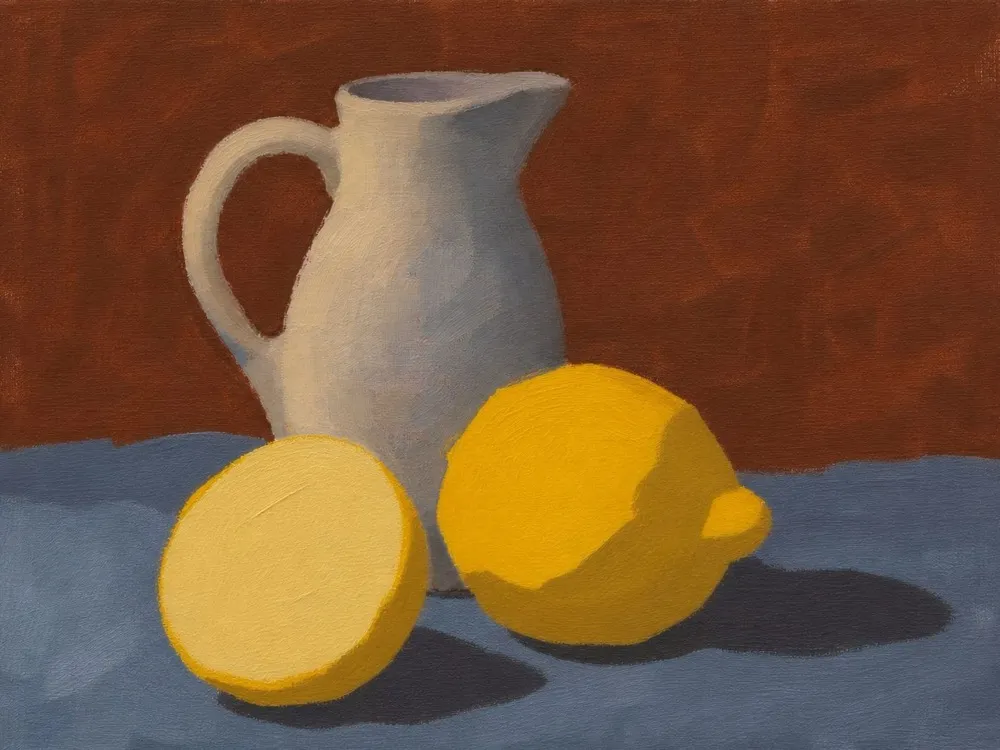
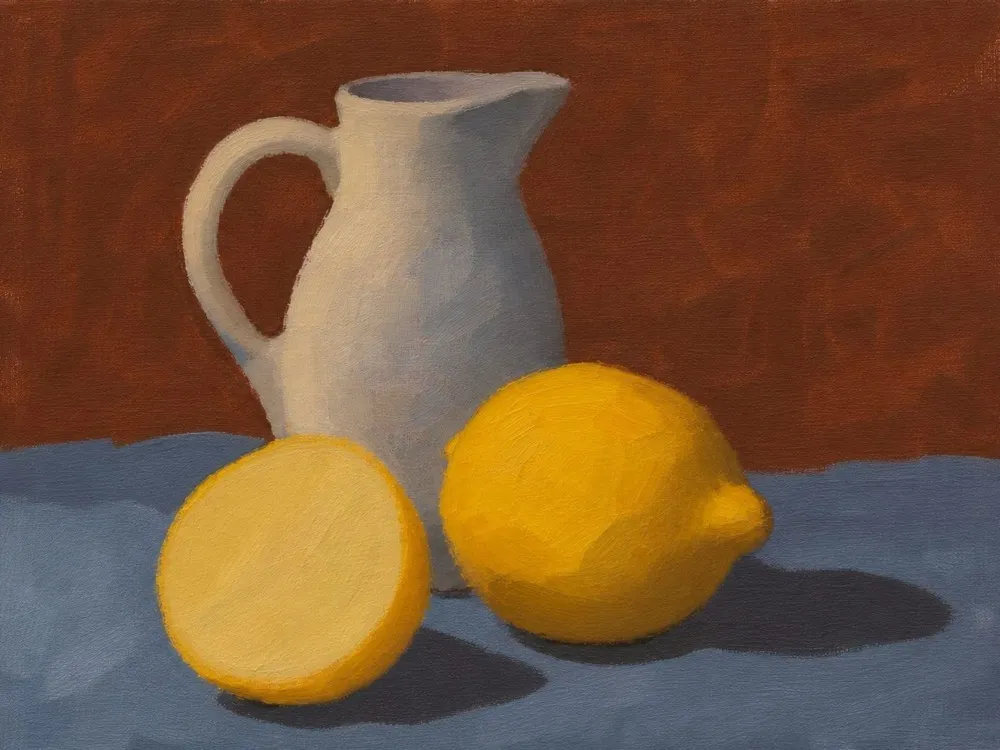
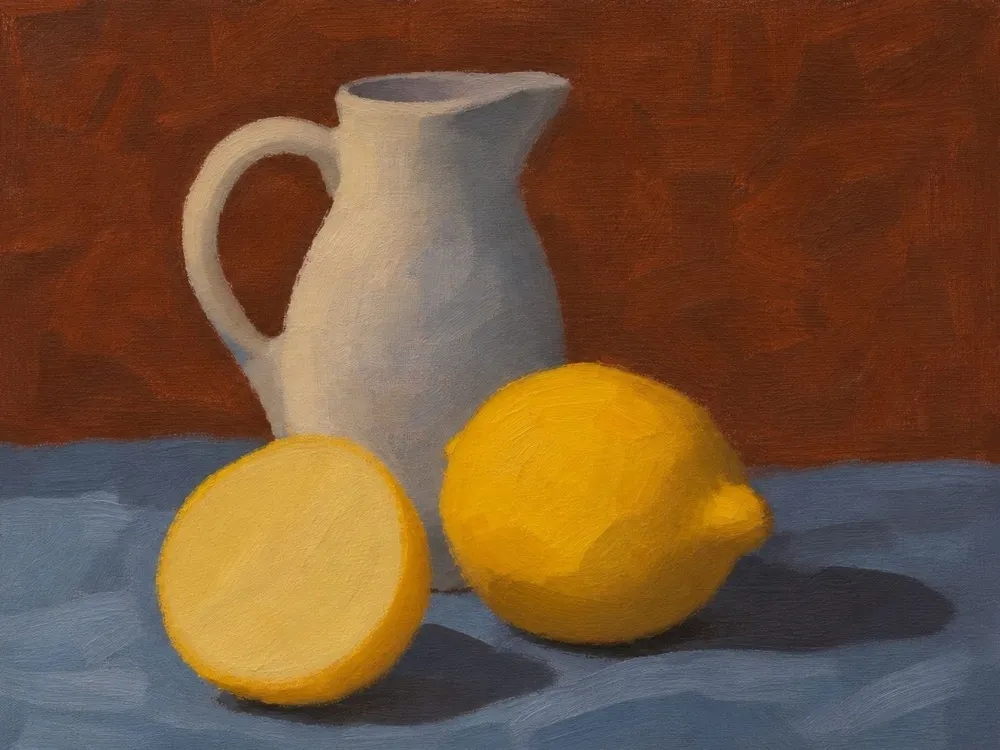
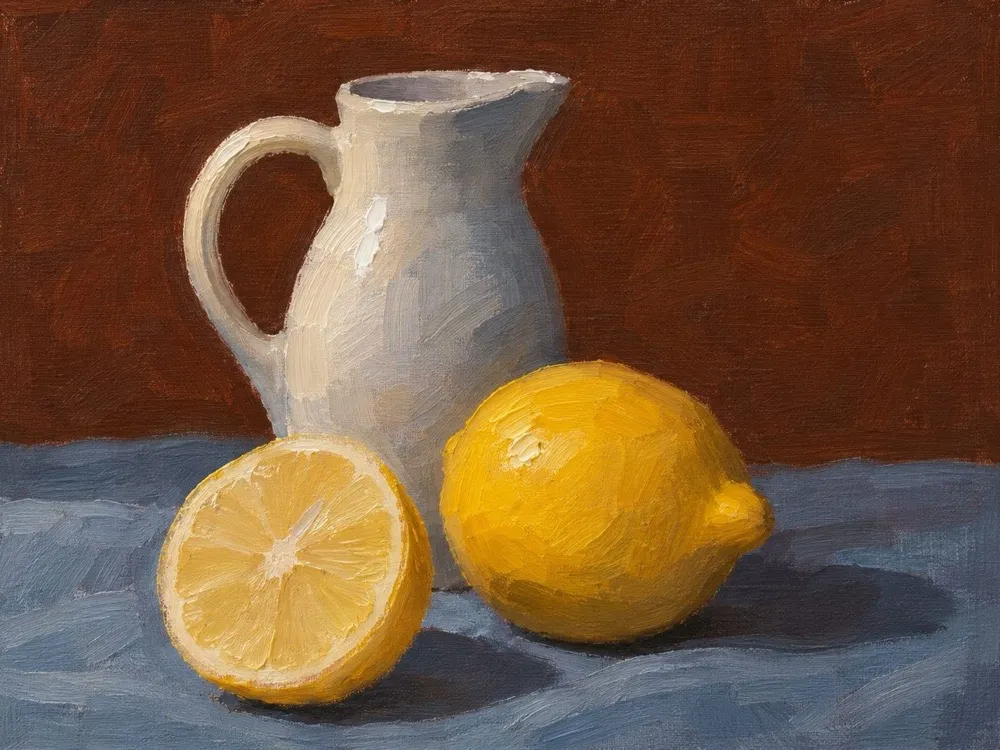
A white jug, a whole lemon and a cut lemon on a blue-gray cloth.
7Highlights and details
When it’s done: Highlights and dark accents finish the forms.
The lightest lights and darkest accents go last so they stay crisp.
Both lessons are free, work offline, and come in English and Simplified Chinese. The reference and stage pictures are AI-generated, made by LifeVen for these lessons.
03 My paints
Advice in the paints you own.
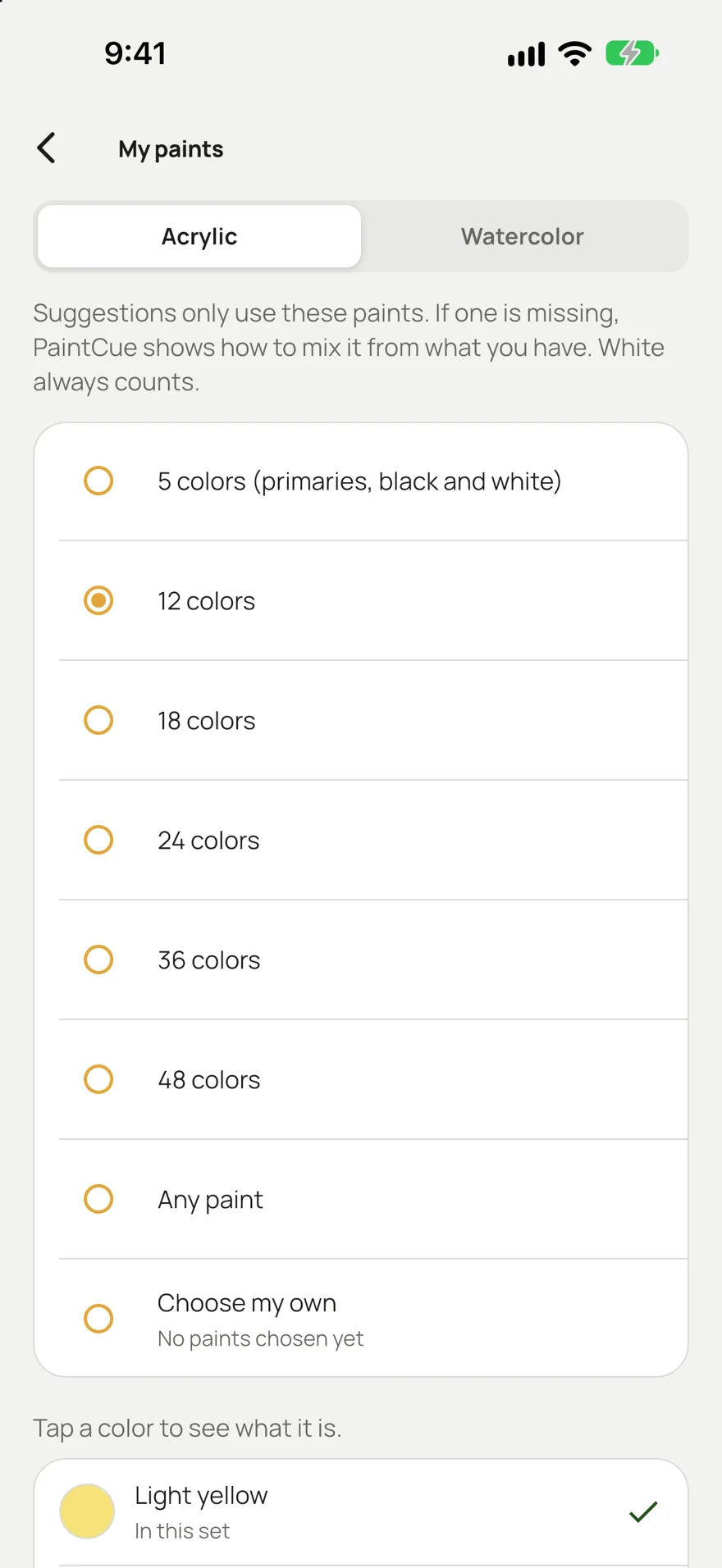
Tell PaintCue what’s in your box, a 12-color set or the exact tubes you bought, and every suggestion uses only those. If the best fix is a paint you don’t have, it shows you how to mix it from two you do.
- Sets from 5 to 48 colors, or tick your own tubes
- Tap any paint to learn what it is and what it’s good for
- Acrylic, with a watercolor mode that lightens with water
04 Study a reference
See the light and the big shapes before you paint.
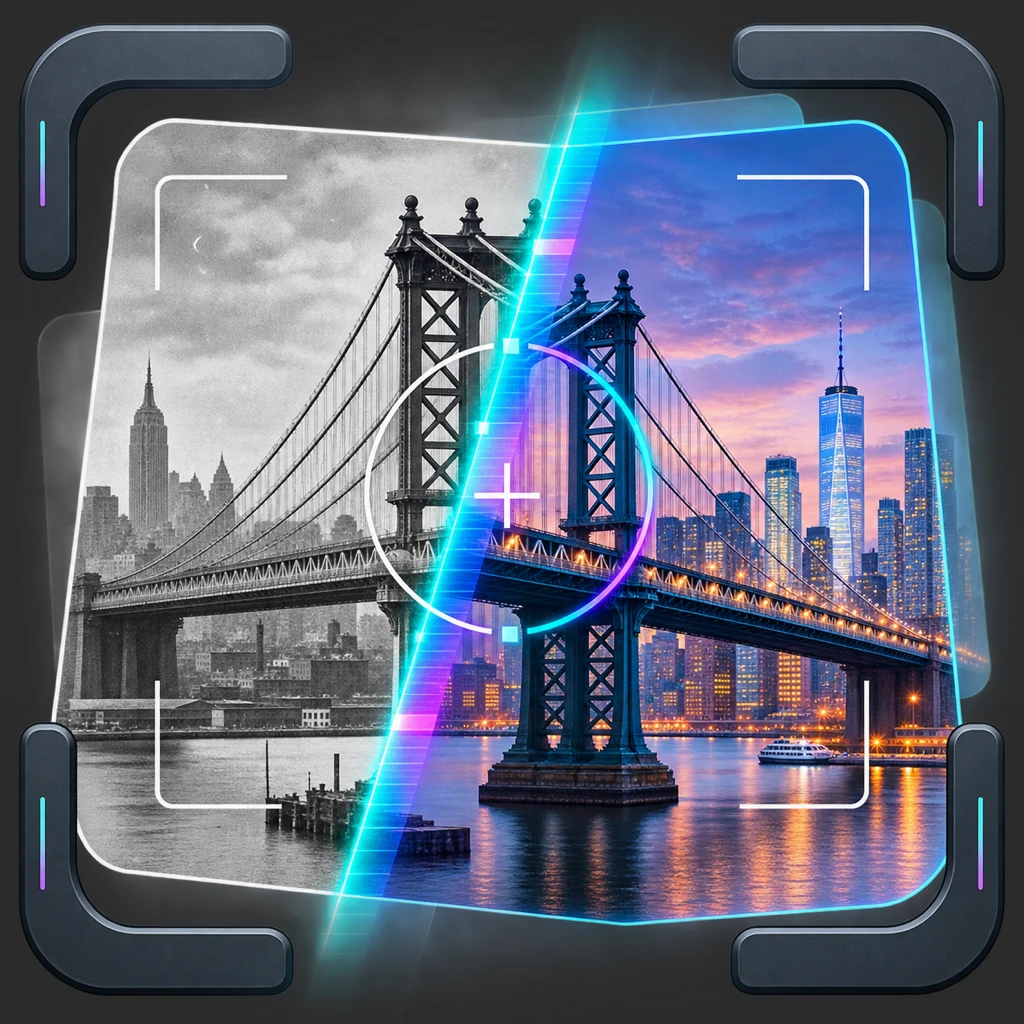
Open a reference photo and switch views on the same picture. Light & shadow sorts it into two, three or five tones. Simplify turns it into a handful of shapes, or up to sixty. Tap any color or shape to start mixing it.
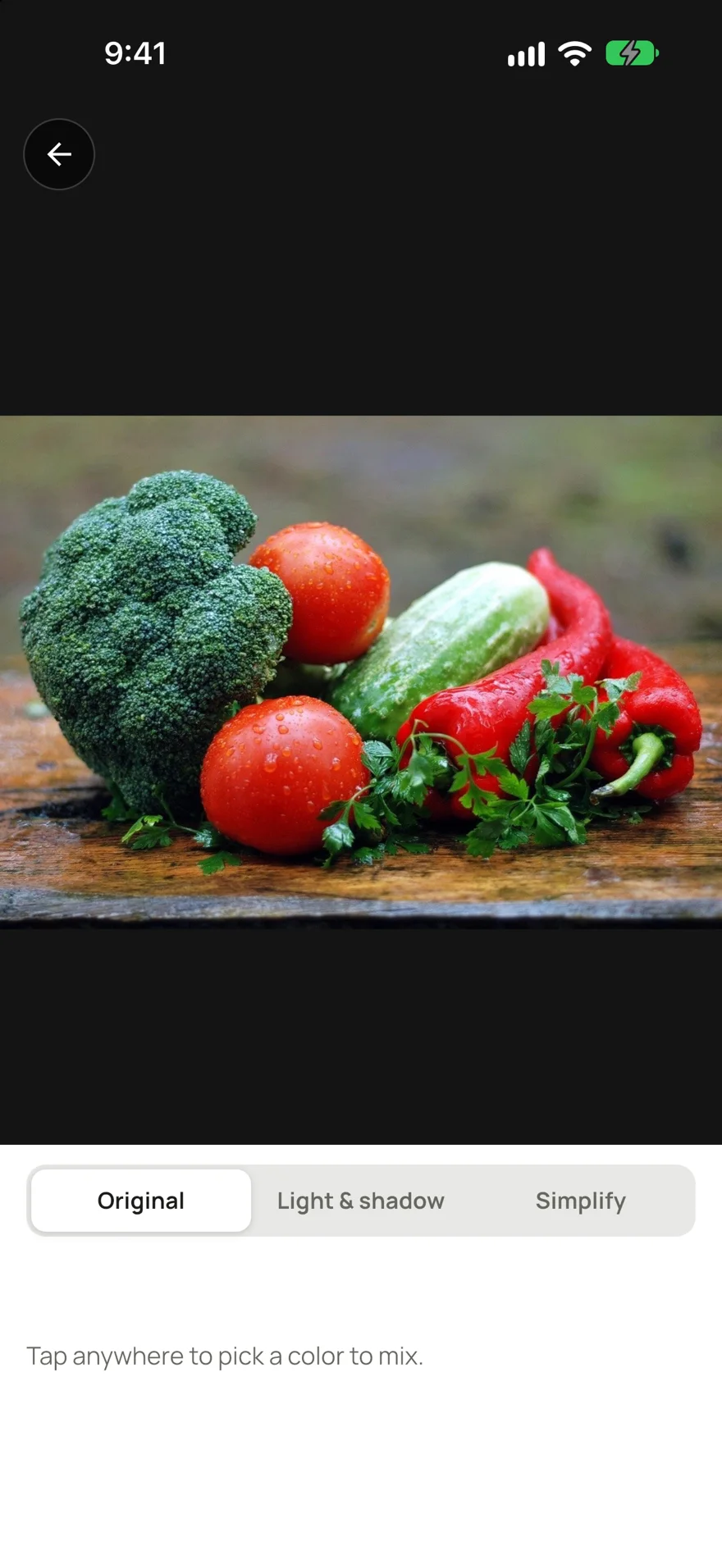
OriginalTap to pick a color
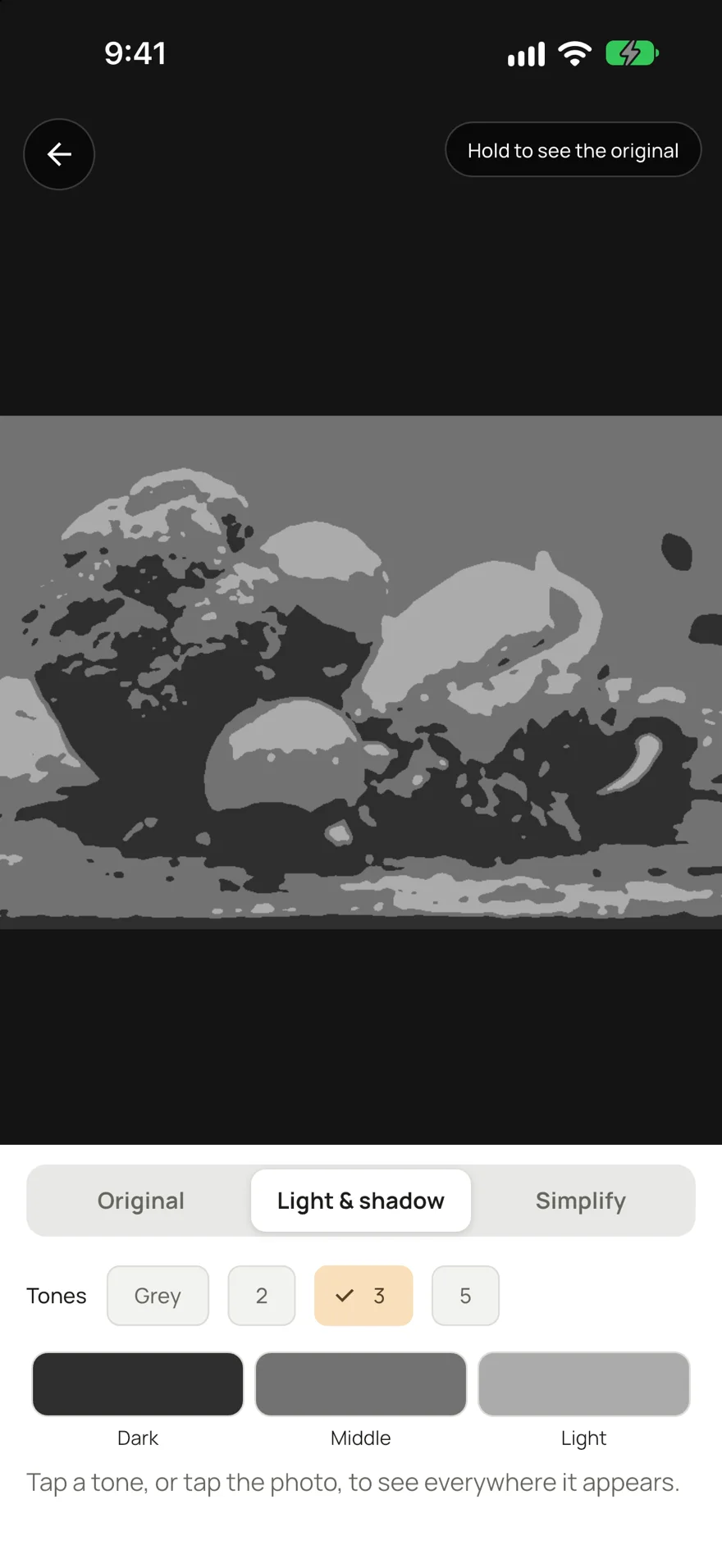
Light & shadow2, 3 or 5 tones
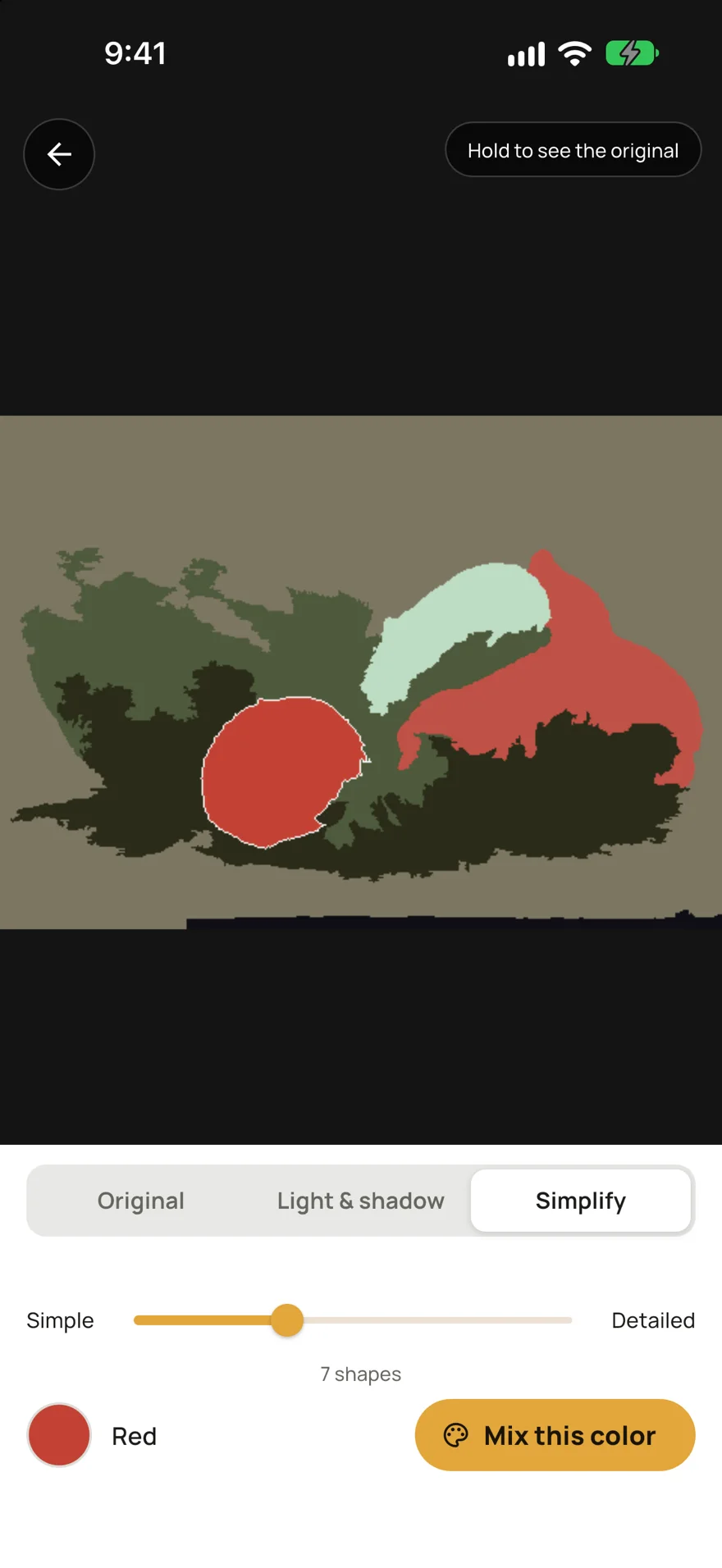
SimplifyFrom 2 to 60 shapes
05 Colors
Mix it once, keep the recipe.
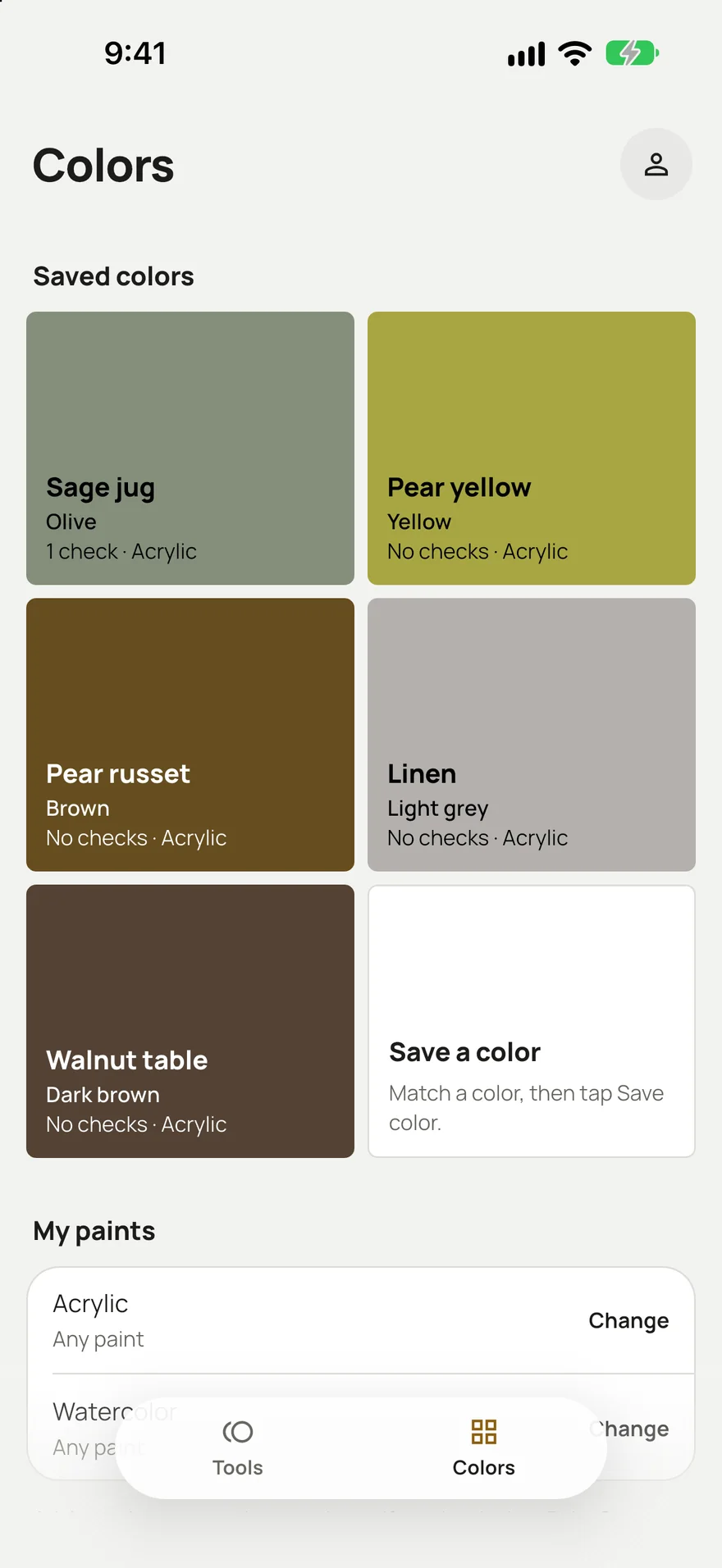
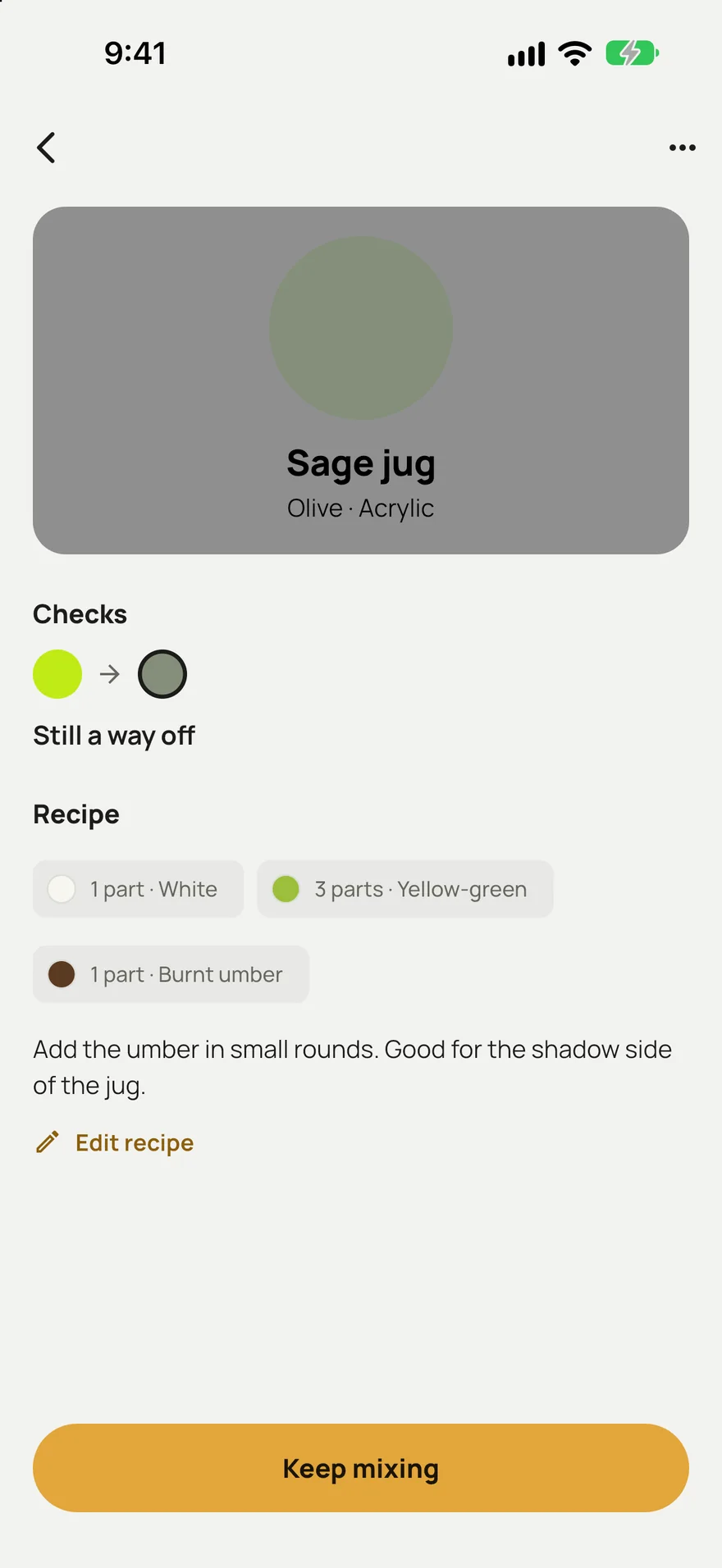
Save a color when it matches. It keeps the target, every check you made and a recipe in rough parts, with a note in your own words. Next time, open it and keep mixing from where you stopped.
- All your saved colors in one grid, with their paint type
- Recipes in rough parts, like 3 yellow-green, 1 burnt umber, 1 white
- Keep mixing picks up again with the same target photo
06 English and 简体中文
Every screen and every tip, in two languages.
The whole app, from the advice to the paint names to both lessons, is written in English and Simplified Chinese. It follows your phone’s language, or you can switch in the app at any time.
拍下想要的颜色和你调的颜色,PaintCue 告诉你差在哪里、下一步加什么颜料。
Your photos stay on your phone.
- Works offlineMatching, studying, saving and the lessons run on the phone, at the easel or anywhere else.
- Start in secondsOpen the app and start mixing. Pick your paints whenever you’re ready.
- Your colors, keptSaved colors, recipes and target photos wait in the app for your next session.
Questions about mixing with PaintCue
How does PaintCue match a paint color?
Take a photo of the color you want, then a photo of your mix. If you tap a piece of white paper in each photo, PaintCue corrects for the light. It compares the two and tells you whether the mix is lighter or darker, too vivid or too dull, and which way the hue is off, then names one paint to add next and why. Check again after each change until it says you’re close.
Does it only suggest paints I own?
Yes. Pick a set in My paints (from 5 to 48 colors) or tick your own tubes. Advice uses only those paints. If the best fix is a paint you don’t have, PaintCue says how to mix it from two you do.
Which paints does it work with?
PaintCue is made for acrylic, and also has a watercolor mode. In watercolor it lightens with water instead of white and reminds you that watercolor dries lighter.
What is in the free lessons?
Two lessons come with the app: white jug and lemons (7 stages) and mountain lake (6 stages). Each stage has a picture of the canvas, what it should look like when you’re done, and why it comes when it does. They work offline.
Is the app available in Chinese?
Yes. Every screen, every piece of advice and both lessons are in English and Simplified Chinese. PaintCue follows your phone’s language, or you can switch it in the app.
Does PaintCue work offline?
Yes. Matching, studying a reference, saved colors and the lessons all work offline, and you can start mixing as soon as you open the app. Your photos, saved colors and recipes stay on your phone.
Can it tell me the color of a spot in a reference photo?
Yes. Open the photo in Study a reference and tap anywhere to pick a color, or a shape in Simplify. Then tap Mix this color and PaintCue takes you straight to matching it.
Bring the photo, and PaintCue will help you mix it.
For acrylic and watercolor painters, in English and 简体中文.